Coming soon to iPhone

Stop guessing.
Start shooting.

Shutr Scout is the AI camera settings advisor that analyzes your reference photo's EXIF data, your subject, and your creative intent — and delivers complete, camera-specific settings in under 30 seconds.

Shutr Scout app icon

Free to download · Canon · Sony · Nikon · Olympus · Fuji · iPhone

Works with Canon · Sony · Nikon · Olympus · Fujifilm · Halide · Indigo · Blackmagic Camera

Your camera can do everything. If only it could tell you how.

Manual settings are the difference between a good shot and a missed one. Most photographers either give up and shoot on auto, or spend years memorizing rules that change with every lighting condition and subject.

"I have a great camera but my photos still look bad and I don't know what I'm changing."
"I'm shooting my kid's game tonight — I have no idea what settings to use indoors."
"I switched to a new lens and I'm back to square one on settings."
With Shutr Scout: Tell us what you're shooting and show us the look you want. We'll handle the settings.

Four inputs. Complete settings.
Under 30 seconds.

Step 01

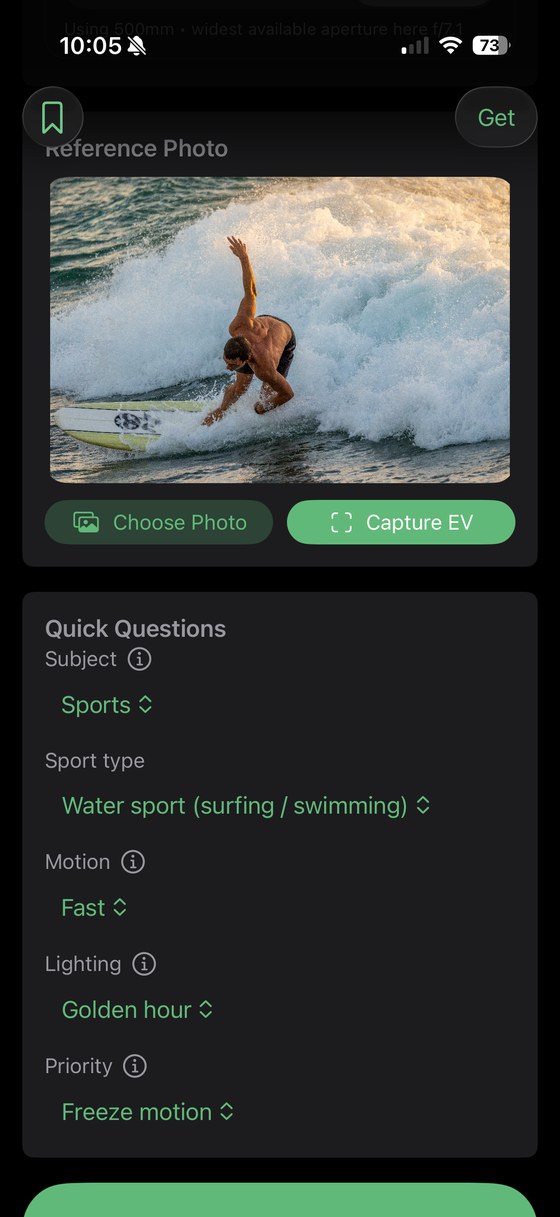
Add your reference photo

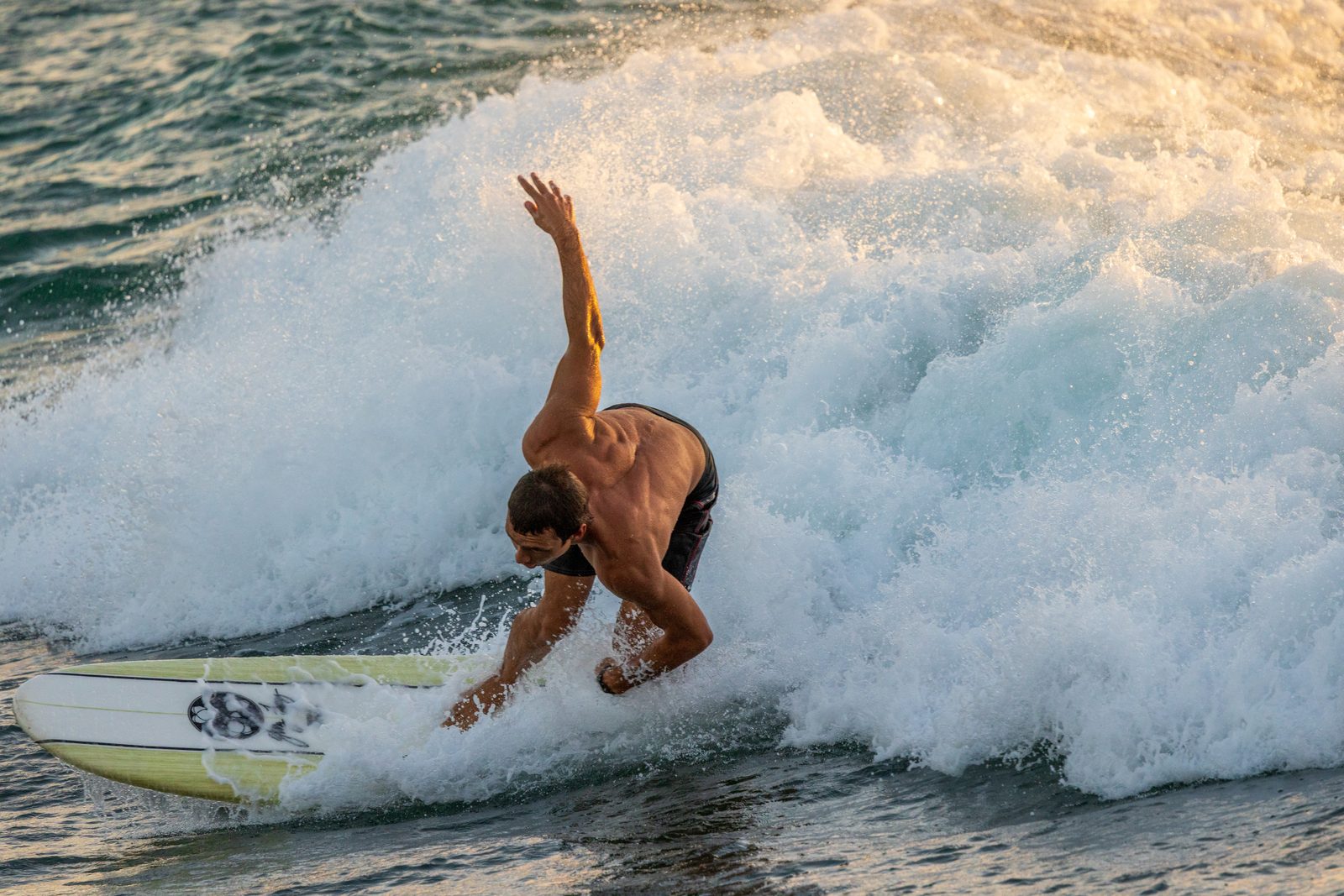
Shutr Scout reads the EXIF data — aperture, shutter speed, focal length, and exposure — to calibrate every recommendation to your target look. No other app does this.

Step 02

Tell us what you're shooting

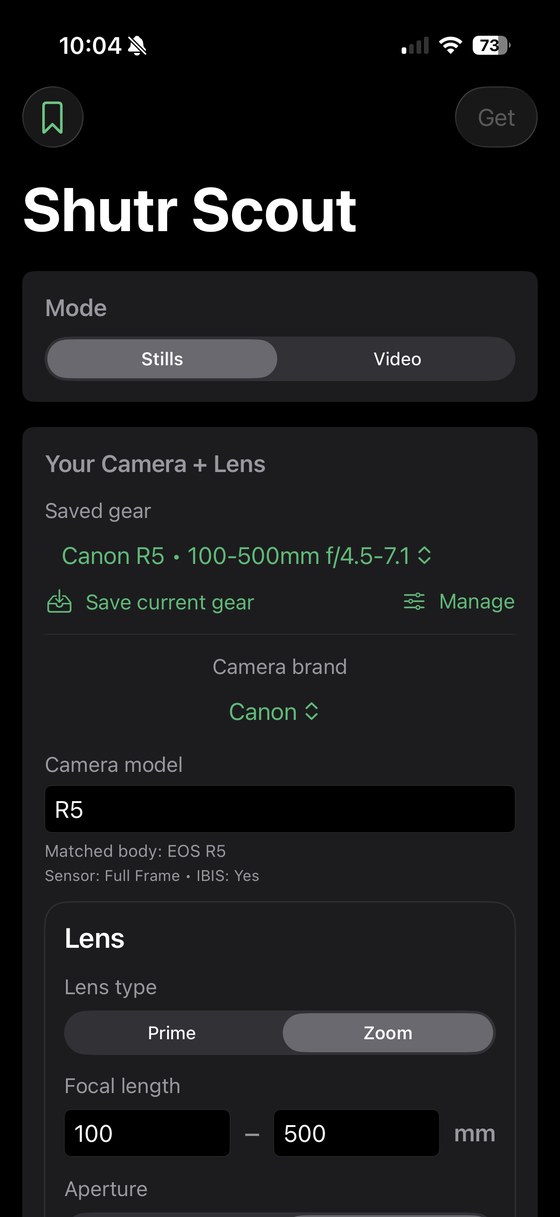
Pick your subject — including 12 sports sub-types — your lighting condition, motion, and Picture Priority. Designed around how photographers think, not how cameras work.

Step 03

Get 11+ complete settings

Camera mode, shutter, aperture, ISO, AF mode, AF area, drive mode, white balance, metering, format, and stabilization — all specific to your camera and lens.

Step 04

Learn as you shoot

Every result includes Quick Fixes for the most common problems and a Learn More layer explaining every setting — the why, the tradeoffs, and how to apply it.

Not a chatbot.
A calibrated exposure engine.

The exposure engine intelligently balances shutter speed, aperture, and ISO to deliver accurate, real-world camera settings based on your scene, subject, and lighting. Instead of generic presets, it dynamically calculates exposure using proven photography principles, adapted to your specific lens and shooting conditions. The result is consistently well-exposed images — whether you're shooting fast action, low light, or anything in between.

Unique to Shutr Scout

Everything your camera
advisor should do.

No other app combines complete settings output, EXIF calibration, subject-first intent, and contextual education in a single workflow.

📸

EXIF Calibration

Your reference photo isn't just for looks — Shutr Scout extracts its EXIF data to anchor every recommendation in the real-world exposure of the shot you want. No other camera app does this.

Unique to Shutr Scout
⚙️

11+ Complete Settings

Camera mode, shutter speed, aperture, ISO, AF mode, AF area, drive mode, white balance, format, metering, and stabilization — not just the exposure triangle. A complete configuration, ready to dial in.

🎯

9 Subject Types

Portrait, landscape, sports (with 12 sub-types: court, field, water, motorsports, equestrian, track, and more), wildlife, street, macro, product, event (wedding & graduation), and astro photography. Tell us exactly what you're shooting.

Quick Fixes

Every result includes three pre-diagnosed adjustments — for overexposure, underexposure, and a context-specific fix tailored to your subject. Specific setting changes, not vague advice. Exactly what to change and why.

📖

Learn More

Tap Learn More on any result to see why each setting was chosen, what tradeoffs were made, how to apply it on your specific camera body, and what to try if conditions change.

🔖

Saved Settings + Share

Save results to a thumbnail gallery organized by gear. Share any setup via the iOS share sheet as a branded settings card or plain text — perfect for second shooters and photography communities.

Not just exposure. The complete picture.

Most apps stop at shutter, aperture, and ISO. Shutr Scout gives you everything — configured for your exact camera body and lens combination.

Camera ModeTv (Shutter Priority)
Shutter Speed1/800s
Aperturef/2.8
ISOAuto (3200 max)
AF ModeServo AF
AF AreaZone AF
Drive ModeHigh-Speed Continuous
MeteringEvaluative
White BalanceAuto (AWB)
File FormatRAW + JPEG
StabilizationMode 2 (panning)

Built for every photographer
who shoots manually.

Beginner Photographer

You have a great camera. Now use it.

New to manual mode. Owns a DSLR or mirrorless but shoots on auto. Knows the gear should produce better photos but doesn't know how to unlock it.

"Focus on the composition. Shutr Scout handles the settings."
Questionnaire is instantly usable — no prior knowledge required
Quick Fixes tell you exactly what to change when something looks wrong
Learn More explains the why — you'll actually get better over time
Advanced Photographer

A smart second opinion for every camera you own.

Comfortable with manual settings but switches bodies, shoots in unfamiliar venues, or wants a fast confidence check before a paid shoot. Also includes Halide and Blackmagic Camera shooters.

"Your camera, fully configured before the light changes."
Saved gear combinations — switch setups without reconfiguring from scratch
EXIF calibration anchors recommendations to the exact look you're targeting
Share settings with second shooters or your photography community

Less than a UV filter.
Smarter than guessing.

Try the full app free. Upgrade for unlimited access — no features locked.

Free
$0
10 free uses to try the full app

The complete Shutr Scout experience — every feature, every setting, every subject type. Ten full uses to see exactly what the app can do — no monthly reset, no expiry.

Reference photo + EXIF analysis
All 12 camera settings output
Quick Fixes
Learn More explanations
All 9 subject categories + 12 sports sub-types
Saved Settings
Share Settings — unlimited & always free
Video mode
10 uses to explore the complete app experience — no reset, no expiry.
Get Early Access

Prices in USD. Free tier includes 10 uses total — no monthly reset. Monthly and annual plans renew automatically — cancel anytime. Pricing subject to change before launch.

Questions, answered.

What cameras does Shutr Scout support?
+
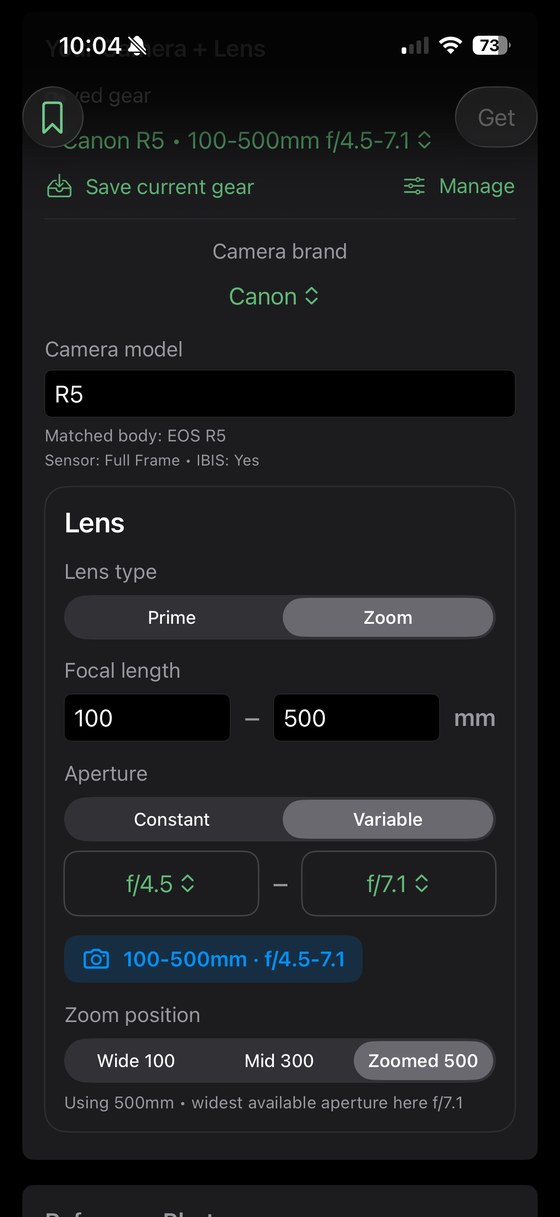
Shutr Scout supports Canon, Sony, Nikon, Olympus, and Fujifilm DSLR and mirrorless cameras, as well as iPhone cameras including the built-in iOS camera, Halide, Indigo, and Blackmagic Camera. You select your specific camera body and lens combination, and recommendations are tailored to your exact gear — including the correct menu terminology and AF modes for your model.
What is the reference photo used for?
+
The reference photo is the heart of what makes Shutr Scout different. Shutr Scout extracts the EXIF data embedded in your photo — including aperture, shutter speed, ISO, and focal length — and uses that real-world exposure information to calibrate its AI recommendations. This means if you want to replicate a specific shot, Shutr Scout isn't guessing at the settings — it's anchoring its output to the actual technical parameters of the target image. No other camera settings app does this.
Does it work for video as well as photography?
+
Yes — Video mode is available on the Pro tier. Shutr Scout provides video-specific settings recommendations including frame rate, shutter angle (the 180-degree rule), ISO, and profile recommendations. This is particularly useful for photographers who occasionally shoot video and need guidance on settings that work differently in video mode than in stills — especially shutter speed, which follows different logic when shooting video.
How is Shutr Scout different from just asking ChatGPT?
+
You can ask ChatGPT for settings, but you'll need to write a detailed prompt, specify your camera, lens, lighting, subject, and desired look — then interpret the response yourself. Shutr Scout handles all of that in four taps, outputs settings in camera-ready format using the correct menu terminology for your specific body, and gives you pre-built Quick Fixes if something isn't working. It also extracts and uses EXIF data from your reference photo — something no general AI tool can do within a structured settings workflow.
What is the "Universal Recipe Toggle"?
+
The Universal Recipe Toggle switches between camera-specific recommendations (using your exact body's menu names and options) and a universal format — useful if you want to share settings with another photographer using different gear, or if you want a clean, brand-neutral reference. It's available on both Free and Pro tiers.
What does the free tier include?
+
The free tier includes every feature in Shutr Scout — reference photo + EXIF analysis, all 12 camera settings, Quick Fixes, Learn More, Saved Settings, and Share. The only limit is 10 uses total, with no monthly reset and no expiry. Share Settings is always free and unlimited regardless of tier. When you're ready to shoot without limits, Pro gives you unlimited access for $2.99/month or $29.99/year.
When will Shutr Scout be available?
+
Shutr Scout launches on the App Store in late April 2026. Join the waitlist below to be notified the moment it's live — waitlist members receive early access and launch pricing.
What happens to my reference photos?
+
Reference photos are used only to generate your settings recommendations and are not stored on our servers after processing. EXIF data is extracted for calibration purposes during the session. Your photos remain yours.

Be the first to shoot smarter.

Join the waitlist to get notified at launch, receive early access, and lock in launch pricing.

No spam. Launch notification only. Unsubscribe anytime.